
What is NextClaw?
NextClaw, your long-term personal AI partner.
NextClaw is a local-first AI agent workspace. Give it an outcome, source material, and a working directory. It can use models, skills, a browser, the terminal, and local files in one task until it delivers something you can inspect: a response, document, chart, code change, or small app.
A chat assistant usually stops at telling you what to do. NextClaw is designed for work that requires opening material, taking actions, creating artifacts, and refining the result.
How a task gets done
- Describe the outcome. State the goal, source material, output format, and boundaries.
- Let the agent act. It reads files and uses the tools, skills, MCP servers, or browser the task needs.
- Stay involved. Watch its actions, answer questions, add constraints, or stop a bad direction.
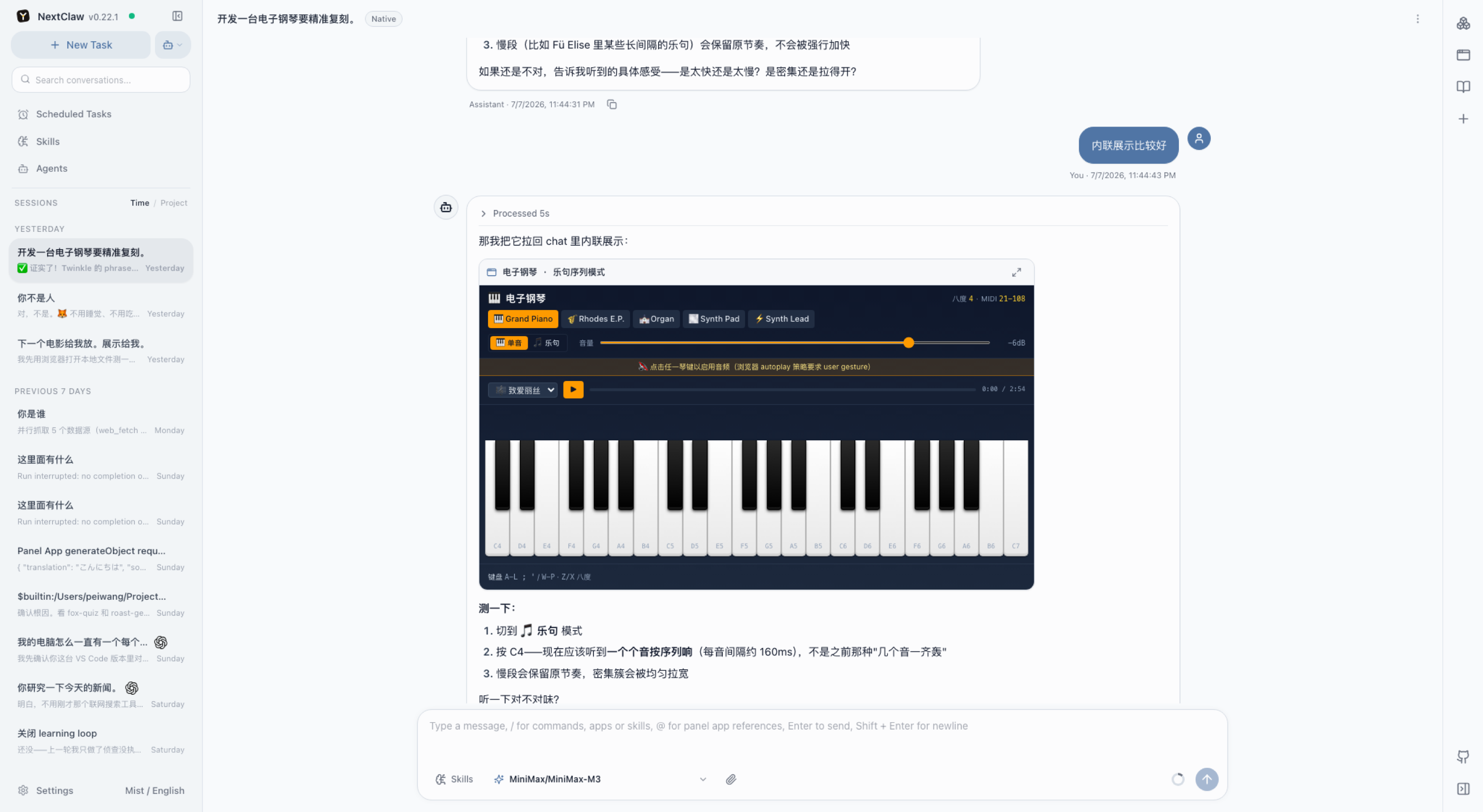
- Inspect the deliverables. Open replies, files, source, Markdown, HTML, or a Panel App beside the conversation.
- Continue or reuse the work. Refine it, hand it to a dedicated agent, package it as a skill, or schedule it.
What you can do
- Collect web data and turn it into charts and conclusions.
- Classify, rename, extract, and summarize local files.
- Research multiple sources and draft a cited report or article.
- Inspect and modify a codebase, run commands, and verify a page.
- Generate images, HTML pages, dashboards, and reusable local tools.
- Produce scheduled briefs and send them to a messaging channel.
Browse the complete task guides for step-by-step examples.
The main work surfaces
- Tasks and sessions keep the goal, messages, actions, and follow-up work together.
- Session workspace brings project files, open files, subtasks, and scheduled jobs beside the task.
- Result previews open Markdown, code, HTML, documents, spreadsheets, presentations, and diffs.
- Agents keep separate identities, memory, skills, runtimes, and home directories.
- Skills and MCP add reusable methods and external tools.
- Panel Apps turn a generated page or tool into an app you can keep using beside the task.
- Doc Browser keeps websites, documentation, and browser tabs in the global right dock.
- Scheduled tasks and channels let work run later or arrive from the apps you already use.
Self-management and continuity
You can ask NextClaw to inspect its version and health, then update or restart with explicit authorization. Upcoming controlled-restart recovery lets eligible unfinished sessions continue once the replacement process is ready, including concurrent sessions. Maintaining its runtime should support the work it is doing for you. See Self-management for usage and supported scope.
Data and permissions
NextClaw runs on a machine or server you control. Your workspace, sessions, configuration, and secrets live in that environment. Connected models, channels, and external tools still receive the data you explicitly send through them. Review the target directory, permission scope, and real result before high-impact actions.
New here? Install NextClaw, then create your first task.
For a separate hosted companion you can use in a browser, see Bibo.