
Inspect task results
A NextClaw task can deliver more than a chat reply. It may produce explanations, files, source code, Markdown, charts, HTML pages, images, or a Panel App.
Where results appear
Session content
Use the conversation for conclusions, status, and questions that need your decision. Important claims should point to a file, source, or concrete number.
Session workspace
Floating conversations keep consistent space around the title. Standard window controls are followed by more actions, with close always last and separated by spacing.
The right workspace exposes project files, open files, subtasks, and scheduled jobs related to the session. Generated files should also exist in the agreed output directory.
File previews
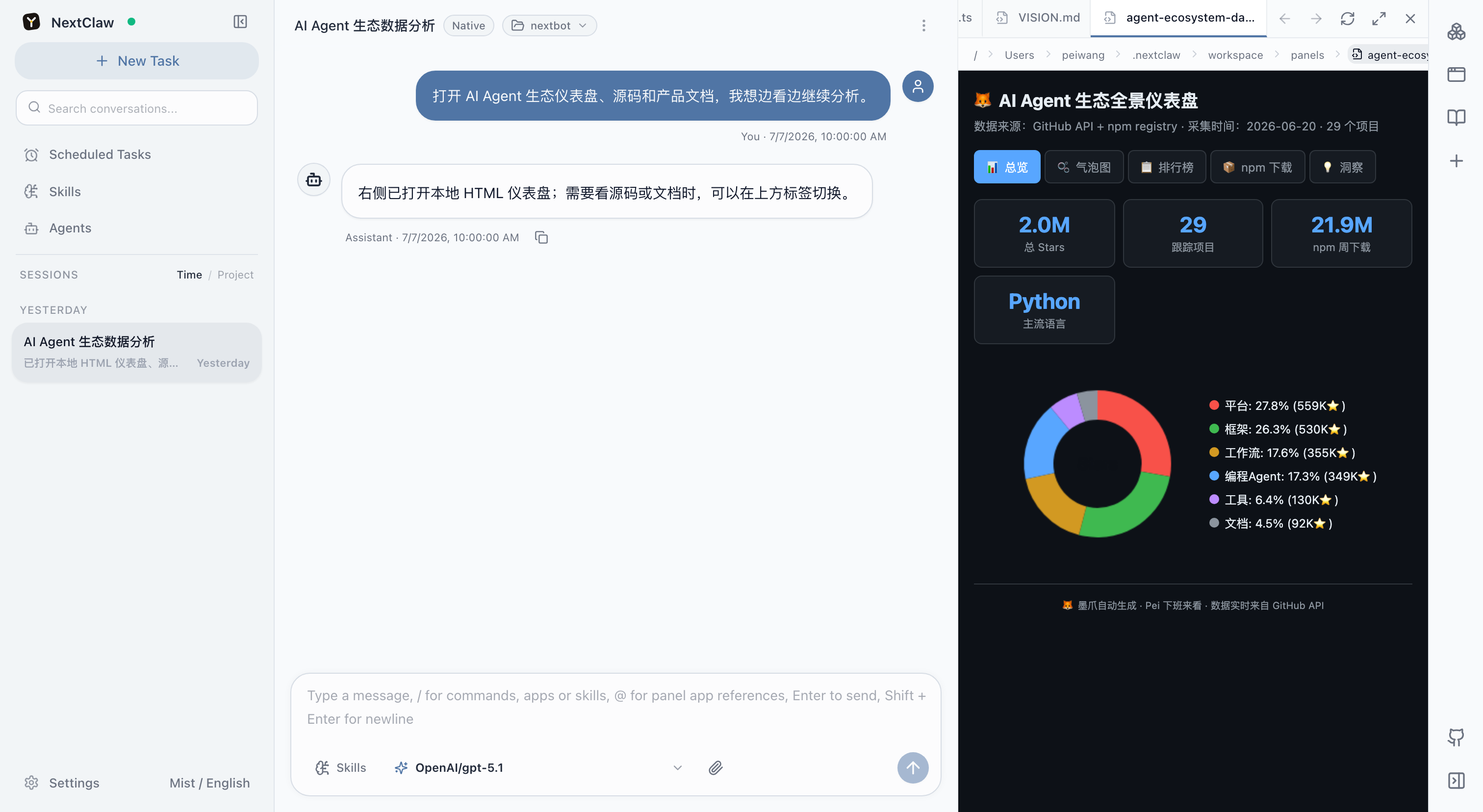
The tab strip scrolls horizontally with a slim scrollbar that keeps its thickness on hover. Action tooltips prefer the space above their buttons and reposition when space is limited.
Open Markdown, code, HTML, documents, spreadsheets, and presentations without leaving the task. HTML can be inspected as source or rendered output, and code changes can be reviewed as diffs.
Inbox deliveries
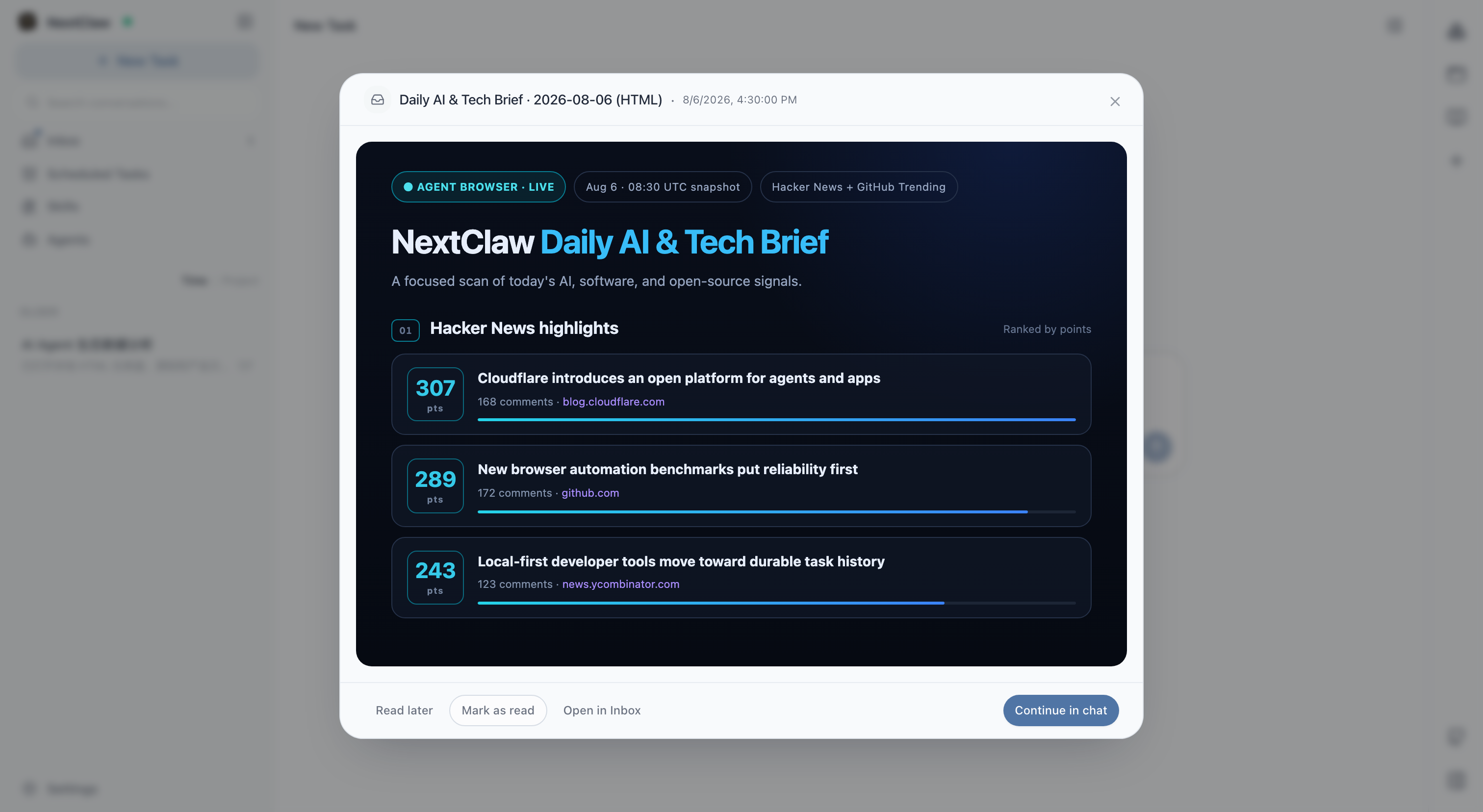
The reader header shows the title, followed by item navigation, more actions, and a separate close button. Narrow screens shorten supporting text while keeping the controls available. Hover or focus an icon to see its action name. With the actions menu open, Escape dismisses the menu first; press Escape again to close the dialog.
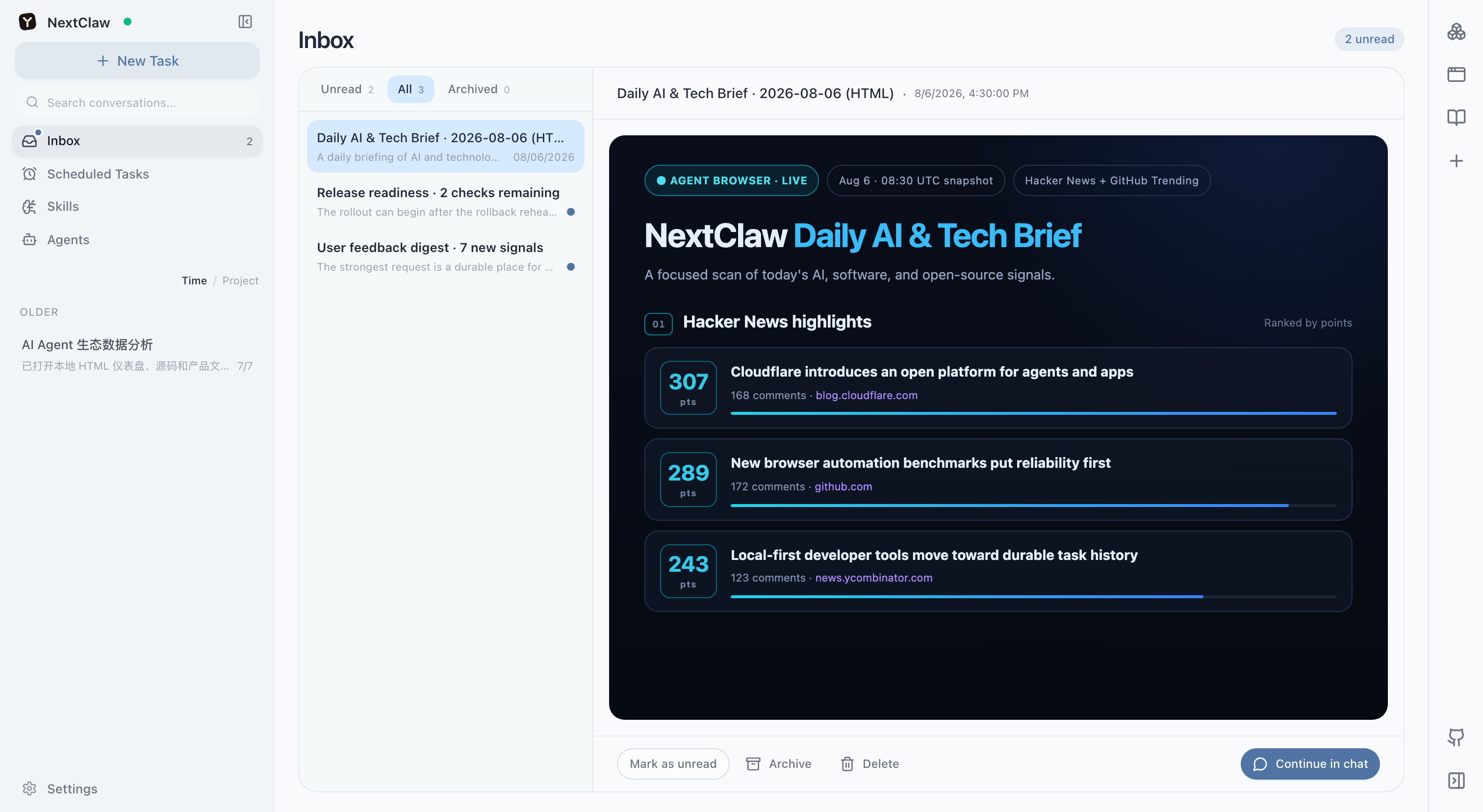
Scheduled work, background Agents, and long-running monitors can deliver Markdown or static HTML reports to the inbox. HTML is displayed in isolation without running scripts or loading remote resources. Closing the reader keeps the item unread, and you can start a linked conversation when the result needs follow-up work.
The inbox prioritizes unread deliveries when any exist, then falls back to the full history instead of showing an empty list. From the same page, you can change filters, continue the conversation, archive a delivery, or delete it.
Panel Apps
Dashboards, forms, calculators, and interactive pages can remain available as Panel Apps instead of becoming a static screenshot.
Review checklist
- Goal: does the deliverable answer the original request?
- Inputs: were the right files, links, and date ranges used?
- Actions: did it avoid unintended overwrites, deletions, sends, or external requests?
- Output: do files open, numbers reconcile, and pages work?
- Boundaries: are sources, limitations, and uncertainty visible?
Refine the result
Name the existing object and the requested change:
Keep the processed data. Replace the first page with an executive summary and add the data refresh time.Review the actual final file after the change. Do not treat a textual success message as proof that the artifact is correct.
Related: Background results and proactive delivery · Visualize results · Panel Apps
Next: choose how to reuse the work.