
Handle Requests from Chat Apps
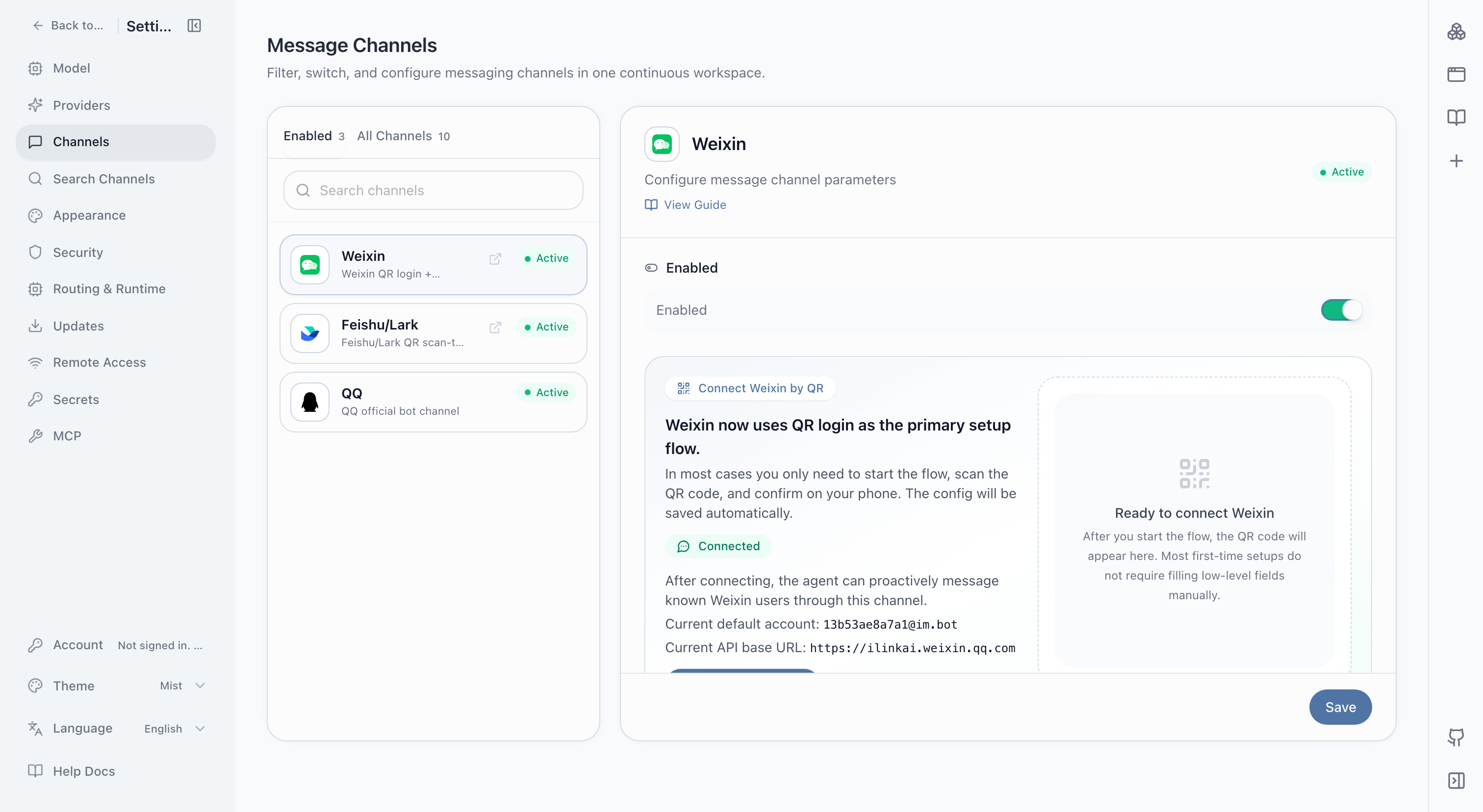
After connecting a messaging channel, you can start work, send files, and continue a task from a familiar conversation. NextClaw still uses the models, files, tools, and sessions on the computer or server where it is running.
Good uses
- Summarize a file and extract action items when it arrives in a group.
- Check task progress and add requirements away from the computer.
- Send scheduled briefs, check results, or completion notices back to a conversation.
- Give a team one structured place to submit repeatable requests.
Prepare before you start
- Complete the local Quickstart.
- Choose one channel you actually use instead of connecting several at once.
- Follow Connect Messaging Channels or the platform tutorial for account, permission, and connection setup.
- Keep NextClaw running when messages need to arrive.
First connection test
Start with a low-risk message that is easy to verify:
Reply with the current time and the name of the session you are using. Do not read or change any local files.
Confirm that the message enters the right session and the reply returns to the original channel before testing files or local work.
Complete a task with an attached file
Read the meeting notes I just sent. Extract decisions, owners, deadlines, and open questions. Send the result back to this conversation first, then save a Markdown copy in the task directory.
Result checklist
- The message reaches the intended agent and session.
- Group and direct-message triggers match the configured scope.
- Files, images, and long messages arrive intact.
- Replies do not expose private paths, credentials, or unrelated local content.
- Sleep, service exit, or network loss produces an understandable failure mode.
Safety recommendations
- Use stricter triggers and permissions for group conversations.
- Keep approval steps for commands, file changes, and external sending.
- Never paste access keys directly into a chat message.
- Use separate sessions for long-running work from unrelated groups.
Related: Connect Messaging Channels · Secrets · Background and Autostart