
Messaging channels
Messaging channels let you send tasks, add material, and receive results from familiar apps without opening the local workspace first.
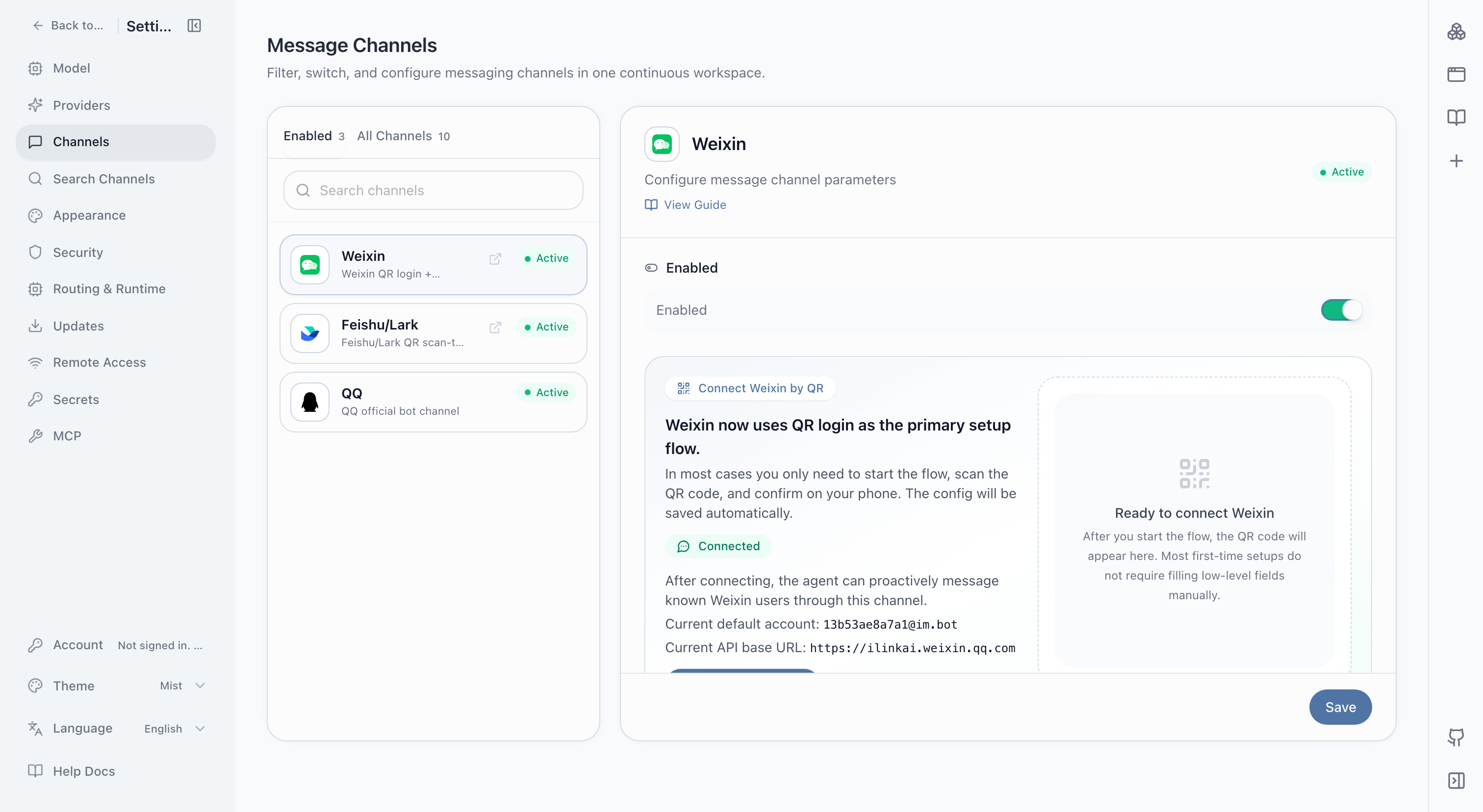
Available entry points
The current interface covers Weixin, Feishu/Lark, QQ, DingTalk, WeCom, Telegram, Discord, Slack, WhatsApp, email, and webhooks. Login, permissions, and message support differ by channel.
Useful patterns
- Send a clear request from a phone while the local agent handles project files.
- Turn a field photo, document, or message into a task and report.
- Receive scheduled briefs, health checks, and failure alerts.
- Trigger a stable workflow from a team conversation and return the result there.
Connect one channel
- Complete a real task in the local workspace first.
- Choose one channel and enter its login or credentials.
- Review the connection state and permission scope.
- Send a low-risk test task from that app.
- Verify the reply, file, and recipient before daily use.
Messages may be sent to the models and tools configured for the task. In group conversations, decide who can trigger the agent, which directories it may access, and where results can be returned. Never expose a high-privilege local workspace through an unrestricted public entry point.
See the Feishu setup guide or the chat channel task guide.