
Skills and MCP
Skills teach an agent a reusable way of working. MCP connects the external tools or data sources that the workflow needs.
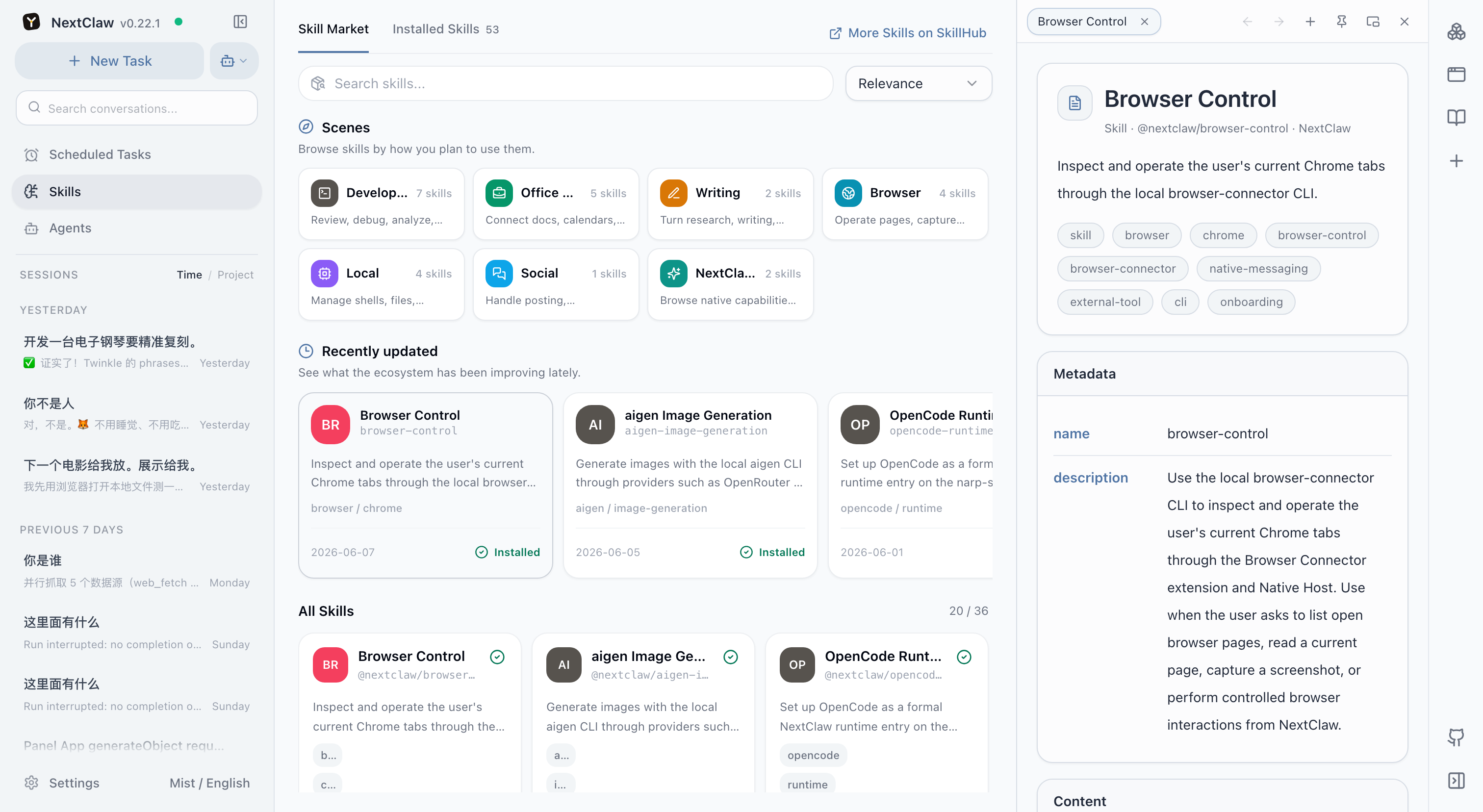
Skills
A skill can contain steps, judgment criteria, tool usage, and output requirements. Use one for a weekly report workflow, a code-change verification checklist, a file naming policy, or a release procedure.
Browse and install skills from the marketplace, or ask NextClaw to package a process you have already proven. Validate every new skill with a low-risk task before relying on it.
MCP
An MCP server can provide tools, resources, and access to an external system. After connecting one, inspect its health, available tools, and permission scope. Use the MCP diagnostic view when a connection fails.
In addition to installing an MCP server from the marketplace, open Settings → MCP and choose Connect external MCP. Enter a command and arguments for a local server, or an address, headers, and timeout for a remote server. Test the connection before saving it, and connect only to servers you trust: local servers execute commands and remote servers can access external systems and data.
The CLI and an agent can configure the same MCP servers without bypassing the UI or editing configuration files. For example, run nextclaw mcp add local-tools -- npx -y <mcp-package> for a local server, or nextclaw mcp add remote-tools --transport http --url https://example.com/mcp --header Authorization='Bearer <token>' for a remote server. Then use nextclaw mcp doctor <name> to inspect connectivity and tools, and list, enable, disable, or remove to manage it. The CLI and UI share configuration and live reload behavior.
Which one do you need?
- You have the tools but repeat the method: write a skill.
- You know the method but lack access to a system: connect MCP.
- The job needs both an integration and stable standards: use MCP for actions and a skill for the method.
Confirm whether a capability is available only to one agent or to every agent. Do not expose sensitive or high-impact tools globally without a real need.
Related: Agents and subtasks and Tools and actions.