
Scheduled tasks
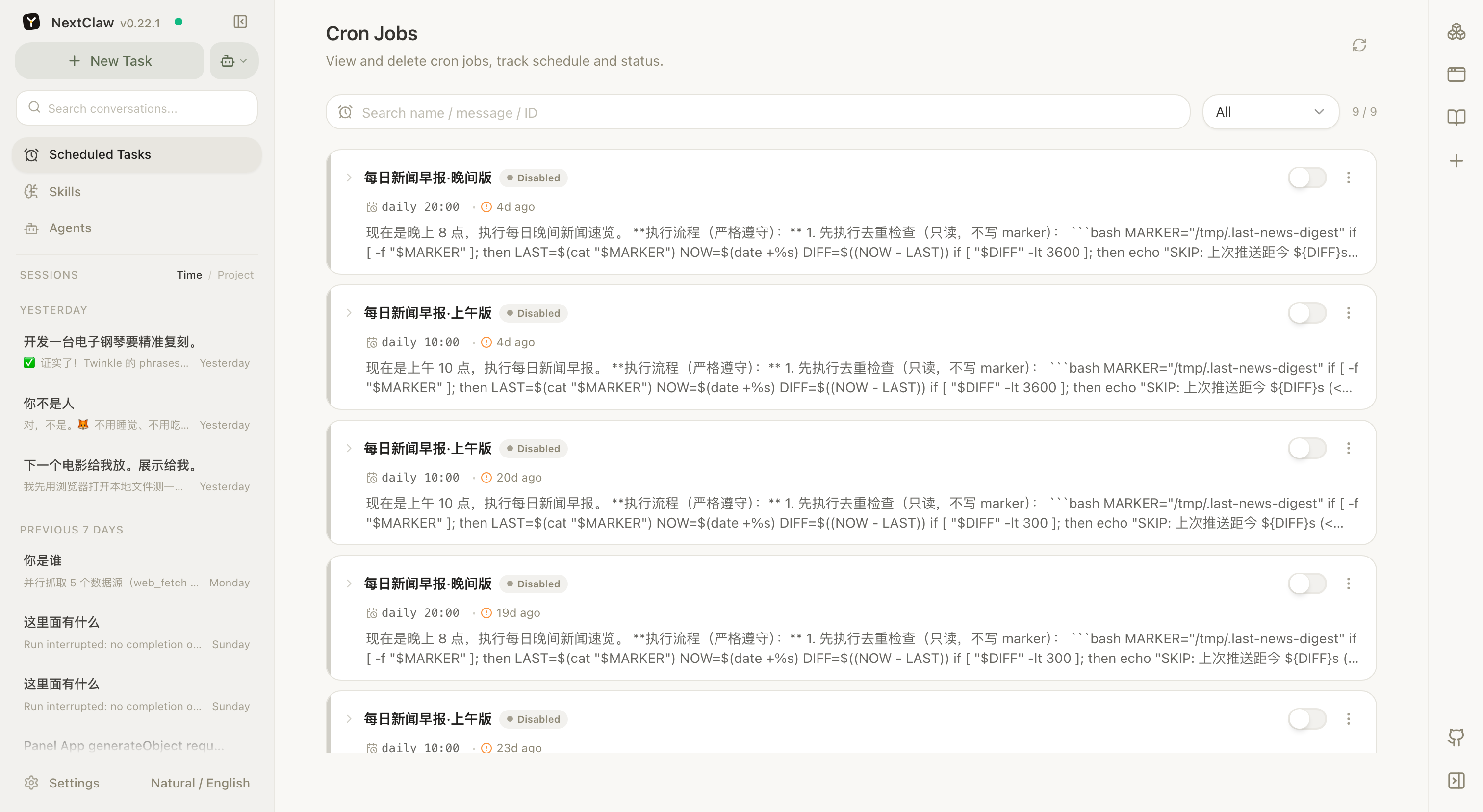
Scheduled tasks rerun proven work at a chosen time: a daily brief, weekly project summary, reminder, or recurring website check.
Run it manually first
Complete the task in a normal session before scheduling it. Confirm the sources, working directory, output format, and destination, then ask the agent to create a schedule from the working prompt.
Run the brief we just completed every weekday at 08:30. Read daily-sources.md, produce a Markdown brief, and send it to the configured Feishu group. If there is no new item, still report the check time and sources.What a schedule contains
- the prompt to execute;
- timing and timezone;
- working directory or session;
- enabled state;
- previous and next run times;
- a destination channel when results should be sent.
Use the schedule page to enable, disable, run now, and inspect timing. Run it manually again after changing a model, directory, channel, or credential.
A task bound to an existing session uses that session's model unless the task specifies another one. Each due task starts one run; updating other scheduled tasks while it is running does not start the current task again.
Scheduled work should be low-risk, stable, reviewable, and retryable. Keep explicit confirmation around public publishing, destructive changes, sensitive messages, production data, and paid actions.
See Generate and send a scheduled brief for a complete example.